Frappe PMM

UAT, KUT & Go-Live


On this page
Last updated on 24th March, 2026
UAT, KUT & Go-Live
UAT Process:
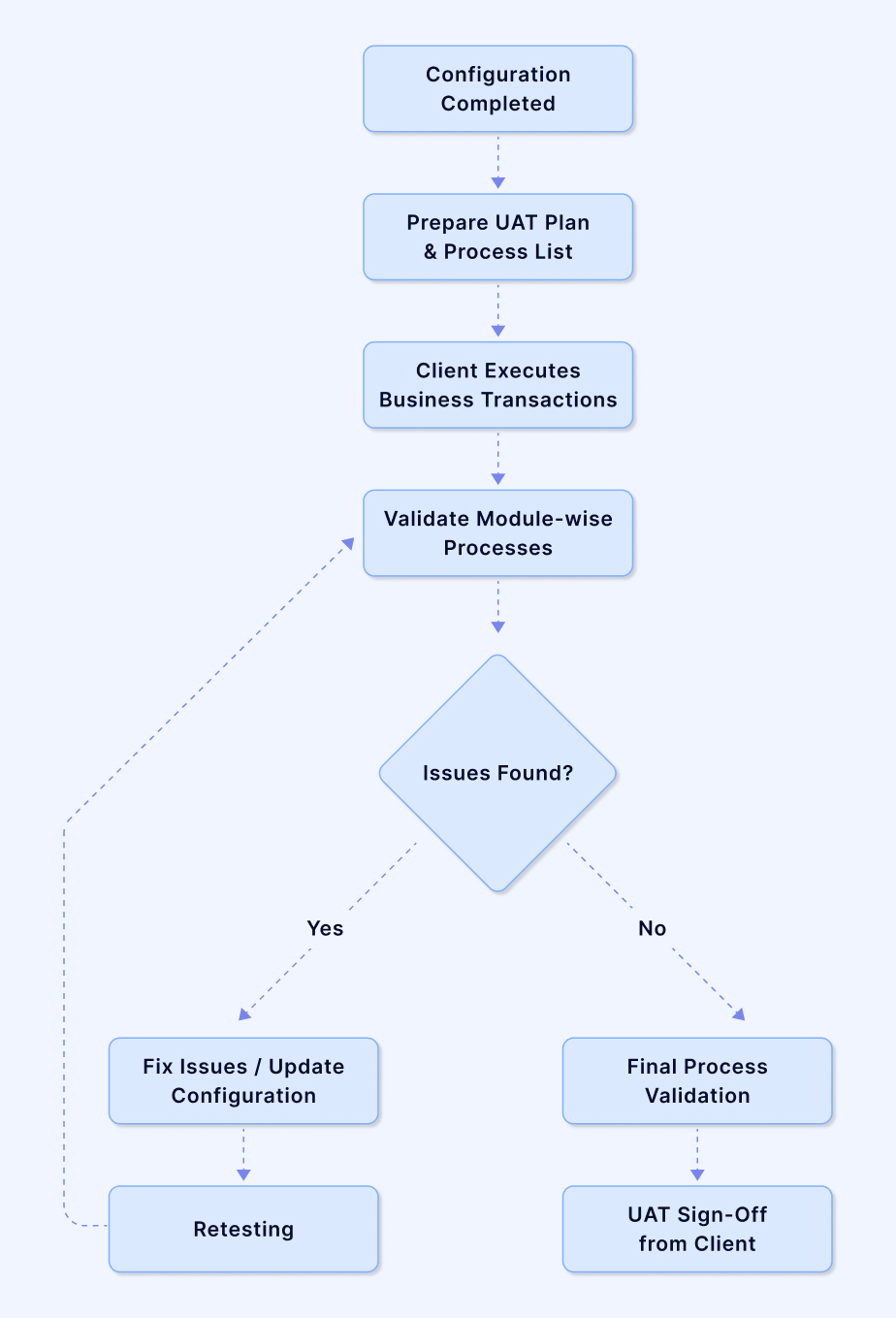
- Conducted after system configuration is completed.
- Based on the Process List defined during the Discovery phase.
- Client users execute real business transactions in the system.
- Module-wise processes are validated (Purchase, Inventory, Manufacturing, Accounting, etc.).
- Any issues or gaps are identified and corrected by the implementation team.
- Retesting is performed to confirm fixes.
- Once all processes are validated, UAT sign-off is obtained from the client.
UAT Process Template: Click Here
KUT Process:
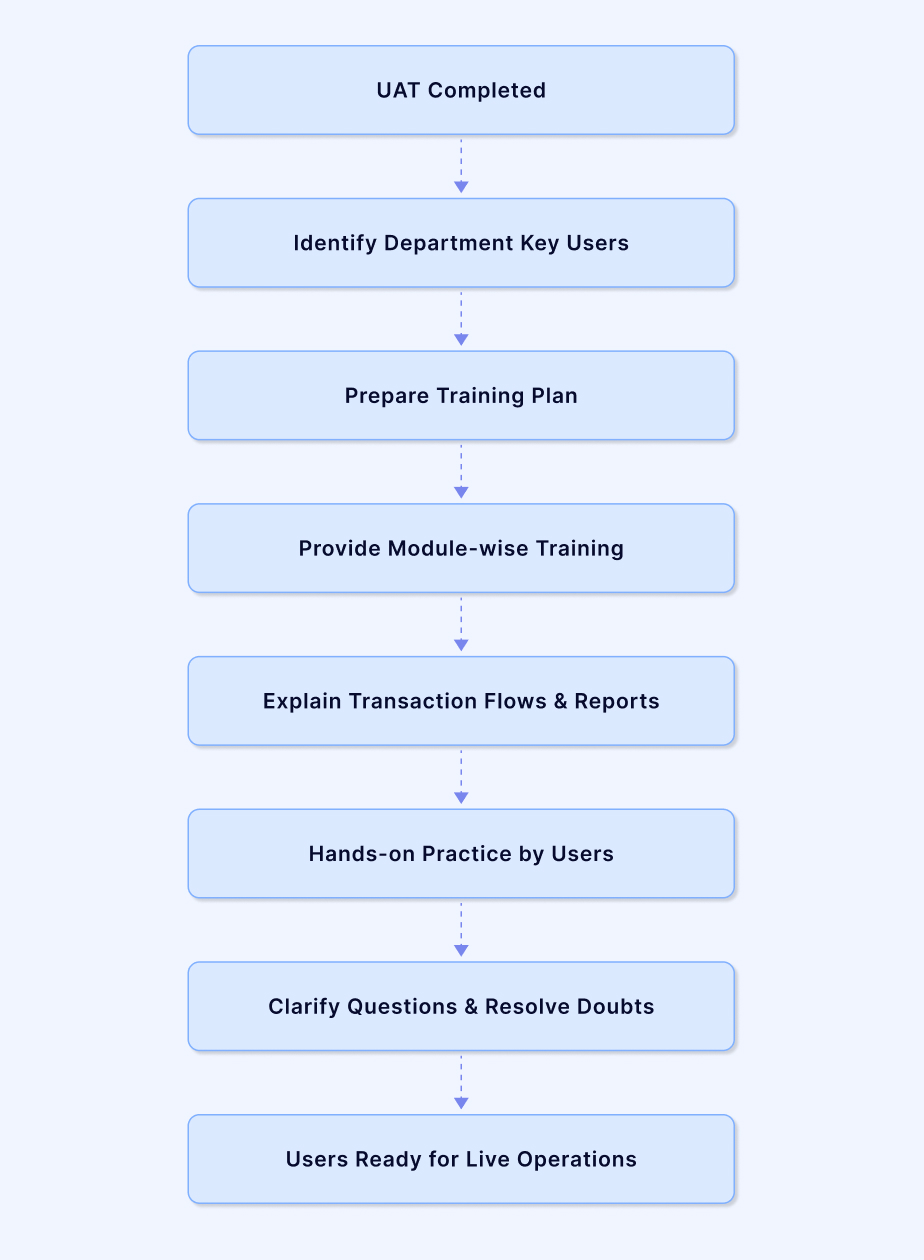
- Conducted after UAT completion to prepare users for system operations.
- Department-wise key users are identified by the client.
- A training plan is prepared based on modules and user roles.
- Module-wise training is provided for relevant departments.
- Transaction flows, approvals, and system reports are explained.
- Users perform hands-on practice in the system.
- Questions and operational doubts are clarified during training sessions.
- Key users become ready to handle live ERP operations and support other users.
Go Live Process:
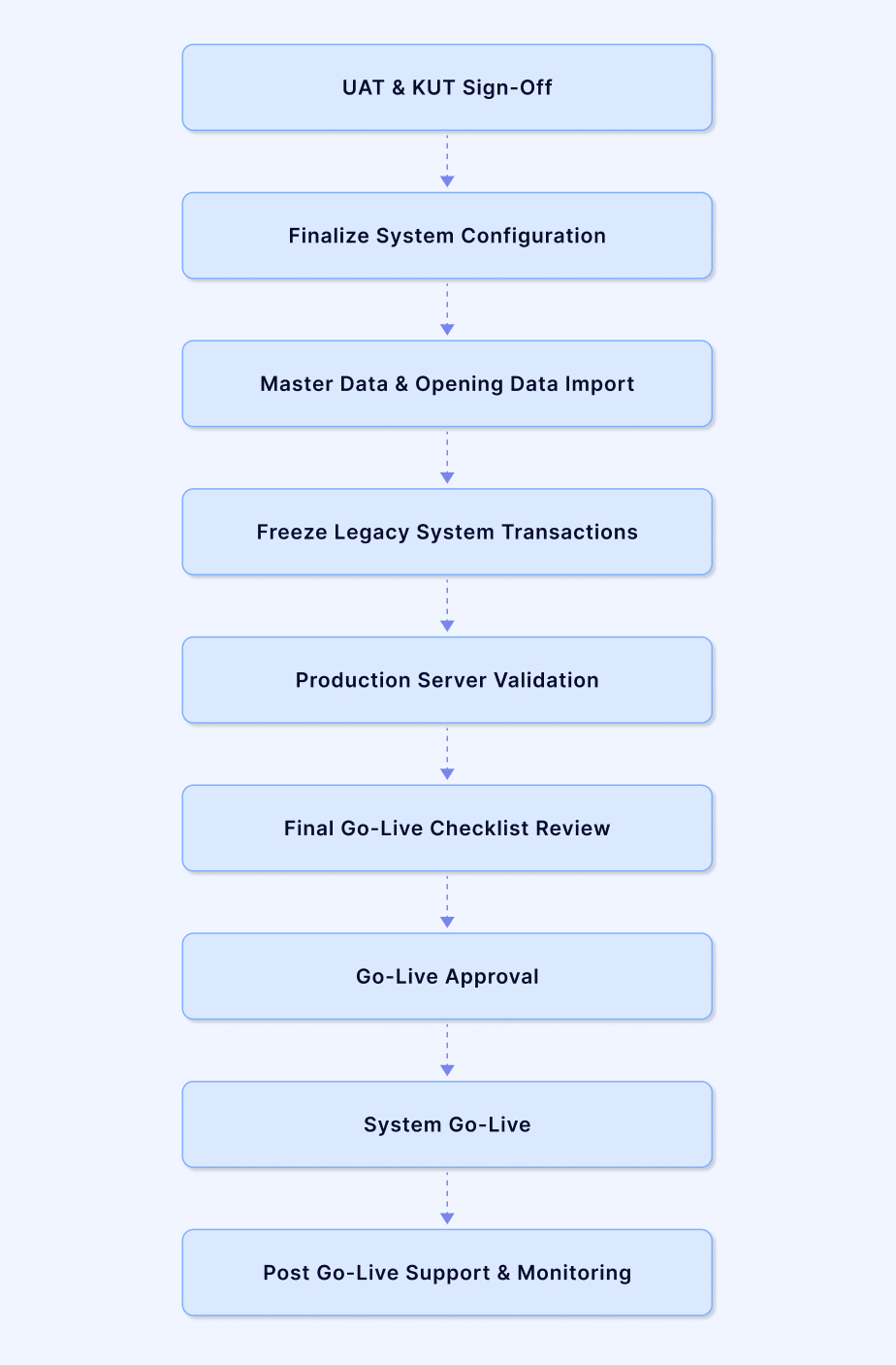
The Go-Live process begins after UAT and KUT sign-off from the client. This stage ensures that the ERP system, data, and technical environment are fully prepared before starting live business operations.
The Go-Live Checklist is used to confirm that all system configurations, master data setup, data migration, and technical validations are completed successfully. This checklist helps minimise risks and ensures a smooth transition from the testing environment to the production system.
During this stage:
- Final system configuration and workflow validation are completed.
- Master data and opening balances are imported into the system.
- Legacy system transactions are frozen from the agreed cut-off date.
- Production server and technical setup are verified.
- The final Go-Live checklist is reviewed by both internal and client teams.
- Once readiness is confirmed, Go-Live approval is obtained.
- The ERP system is moved to live operations and users begin real transactions.
- Post Go-Live monitoring and support are provided to ensure stable system usage.
The Go-Live Checklist ensures that all system configurations, data migration, and testing activities are completed before moving the ERP system to the production environment. It helps verify system readiness, minimise risks, and ensure a smooth transition from testing to live operations.
Go Live Checklist: Click Here


