Customer Communication Made Simpler!
Connect with your customers like never before with our seamless WhatsApp integration for ERPNEXT.

Connect with your customers like never before with our seamless WhatsApp integration for ERPNEXT.
According to the latest statistics, over 5 million businesses are connecting with customers on WhatsApp.
On top of it, 64% of WhatsApp users agreed that WhatsApp helps them foster a personal connection to businesses.
If you also want to tune into smoother communication with your customers, then our WhatsApp integration product is all you need. This feature-rich product helps businesses seamlessly integrate their ERPNext system with WhatsApp - and tune to smoother communication and better customer satisfaction.
Elevate your ERPNext experience with our comprehensive WhatsApp integration, supporting both WATI and Interakt. This solution empowers businesses to automate communications, send notifications, and manage customer interactions directly from ERPNext.
WATI Integration

Leverage our WATI integration to utilize pre-made or custom templates, streamline automated messaging, and efficiently manage customer interactions.
Interakt Integration

Seamlessly connect ERPNext with Interakt to unlock advanced WhatsApp messaging features, including template management and customer engagement tools.
Hassle-free integration with WhatsApp API:
Our product allows businesses to integrate their ERPNEXT system with WhatsApp's API without any hassle.

You can integrate it into your existing site as well as a new one.
User-friendly interface
Streamlined setup process
Sharing Static & Dynamic Content Through Whatsapp:
With Sanskar's WhatsApp Integration product, businesses can seamlessly share both static and dynamic content with customers through WhatsApp.
Static content includes predefined messages, images, or documents that can be easily shared with customers for consistent communication.
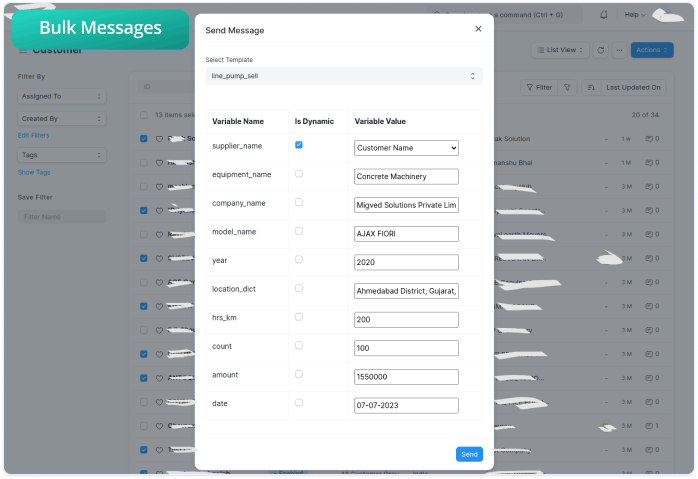
Dynamic content enables businesses to send personalized messages with variables such as customer names, order numbers, and other relevant information.
You can utilize pre-made master templates (as per the receiver) such as supplier, customer, lead, etc to send messages accordingly.
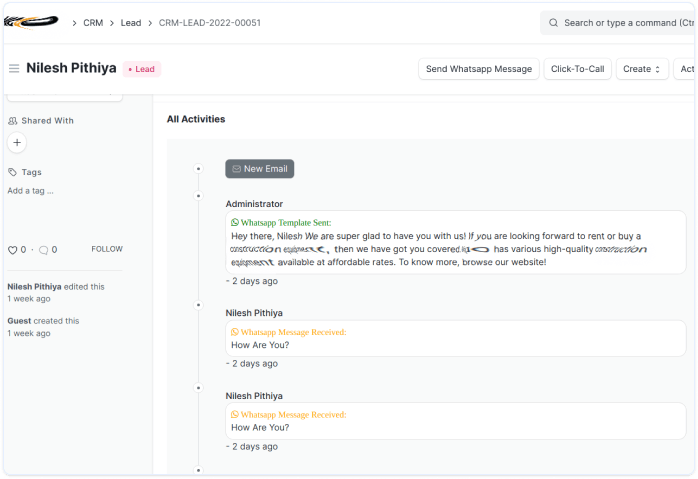
Businesses can review end-to-end user activity:
Our WhatsApp integration product provides businesses with the ability to track and review end-to-end user activity.
You can review all the sent and received WhatsApp messages on your website or application.
You can reply to Whatsapp chats from the users directly from the portal.
Anyone with access to the portal, can view and manage user activity.
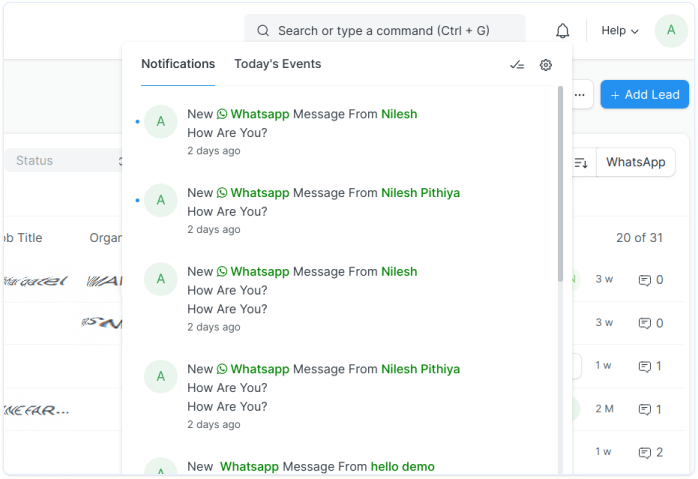
Real-time alerts to keep you updated:
Our product provides businesses with instant Whatsapp notifications on the portal so that they can stay updated with end-to-end user activity.
Instant Whatsapp notification when you send or receive Whatsapp messages.
You can view the entire Whatsapp chat activity with any user, through the portal.
You can provide timely & convenient support to customers through real-time alerts.
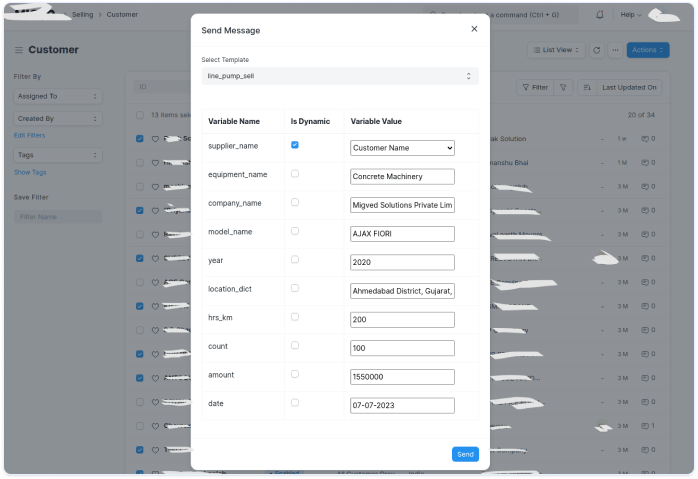
Easily send bulk & individual messages:
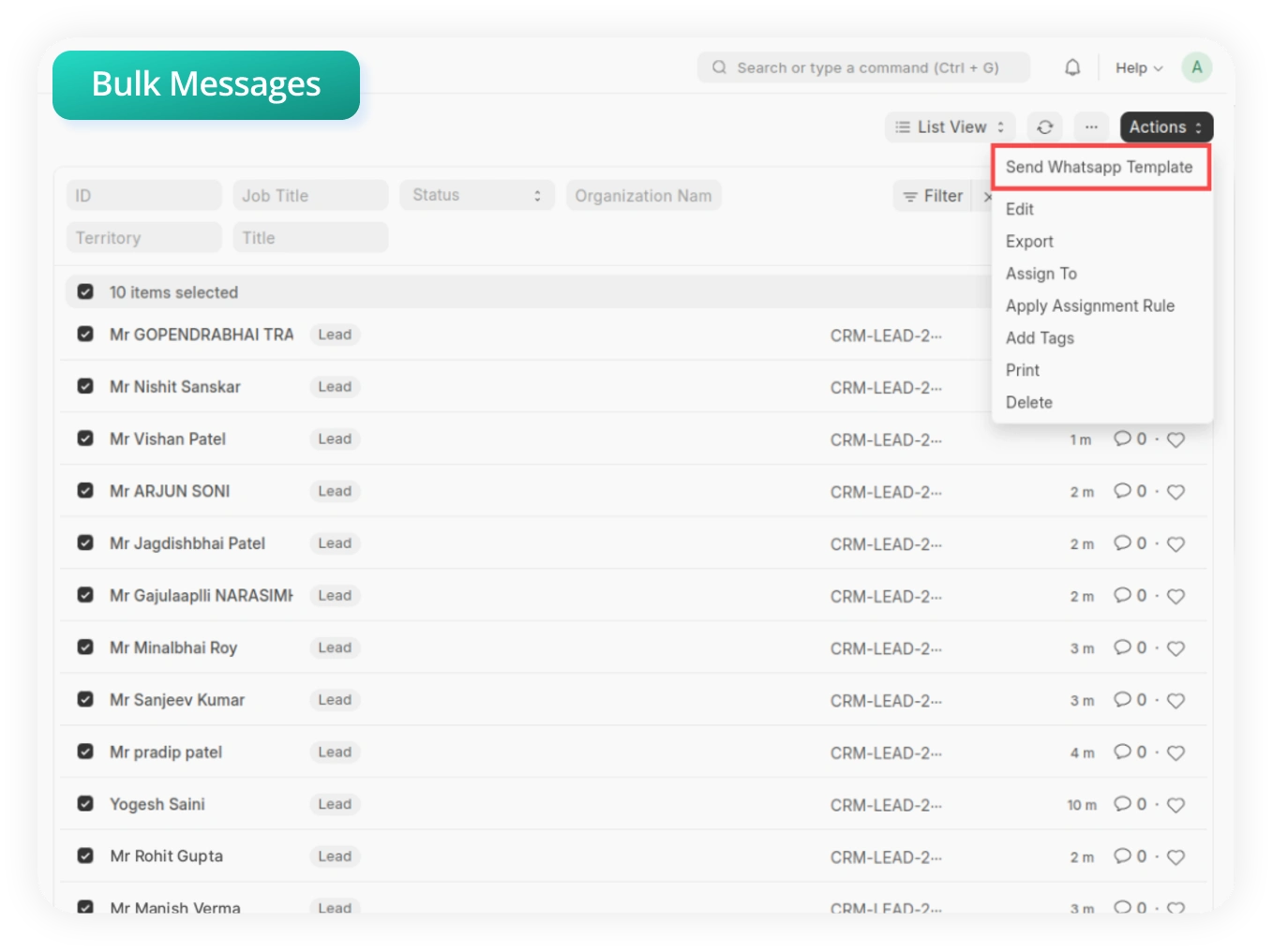
Businesses can seamlessly send bulk and individual messages to their users through the product.
For bulk messages, you can seamlessly customize the messages as per your requirements.
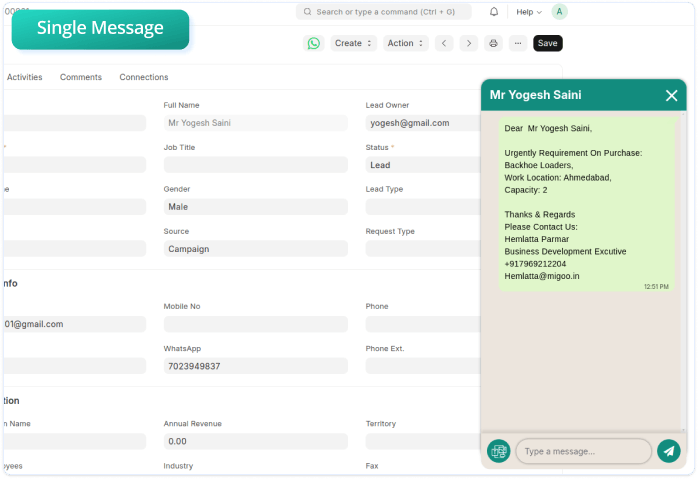
In the case of individual messages, you can get a Whatsapp chat pop-up within the portal for better communication with your customers.
You can target a specific user group(from customers, suppliers, etc) for sending and receiving messages.
Automatically Get Templates from WATI:
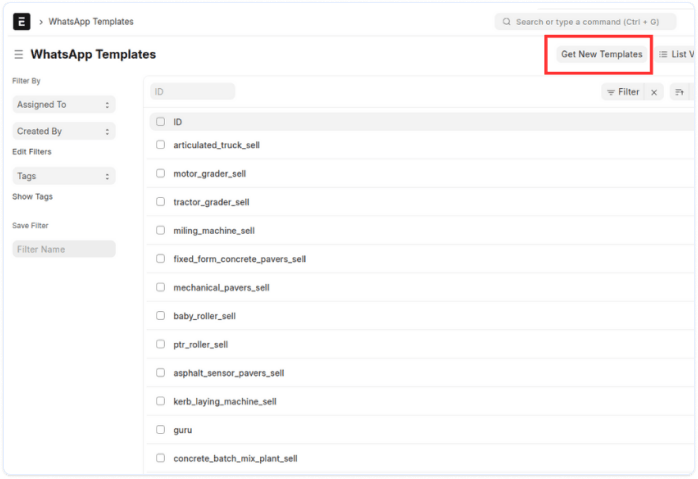
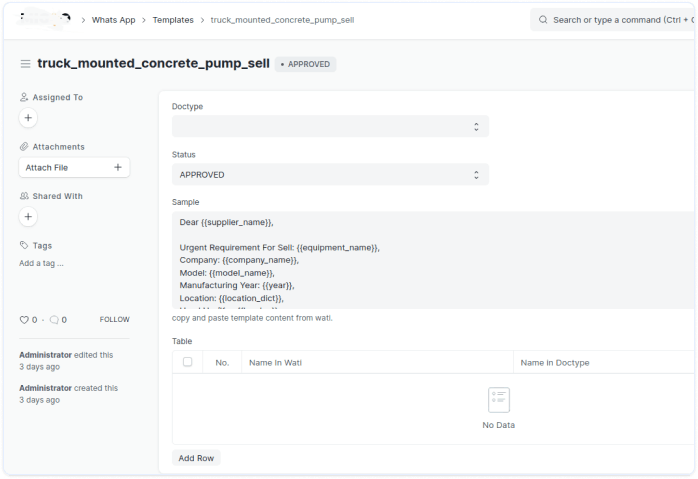
This feature of Sanskar's WhatsApp Integration product you to automatically GET pre-made or custom templates from WATI.
Users can preview the content when they GET templates from WATI.
Availability of the latest templates.
Range of pre-made templates while you even make customized ones.
Step 1:
Install the product:
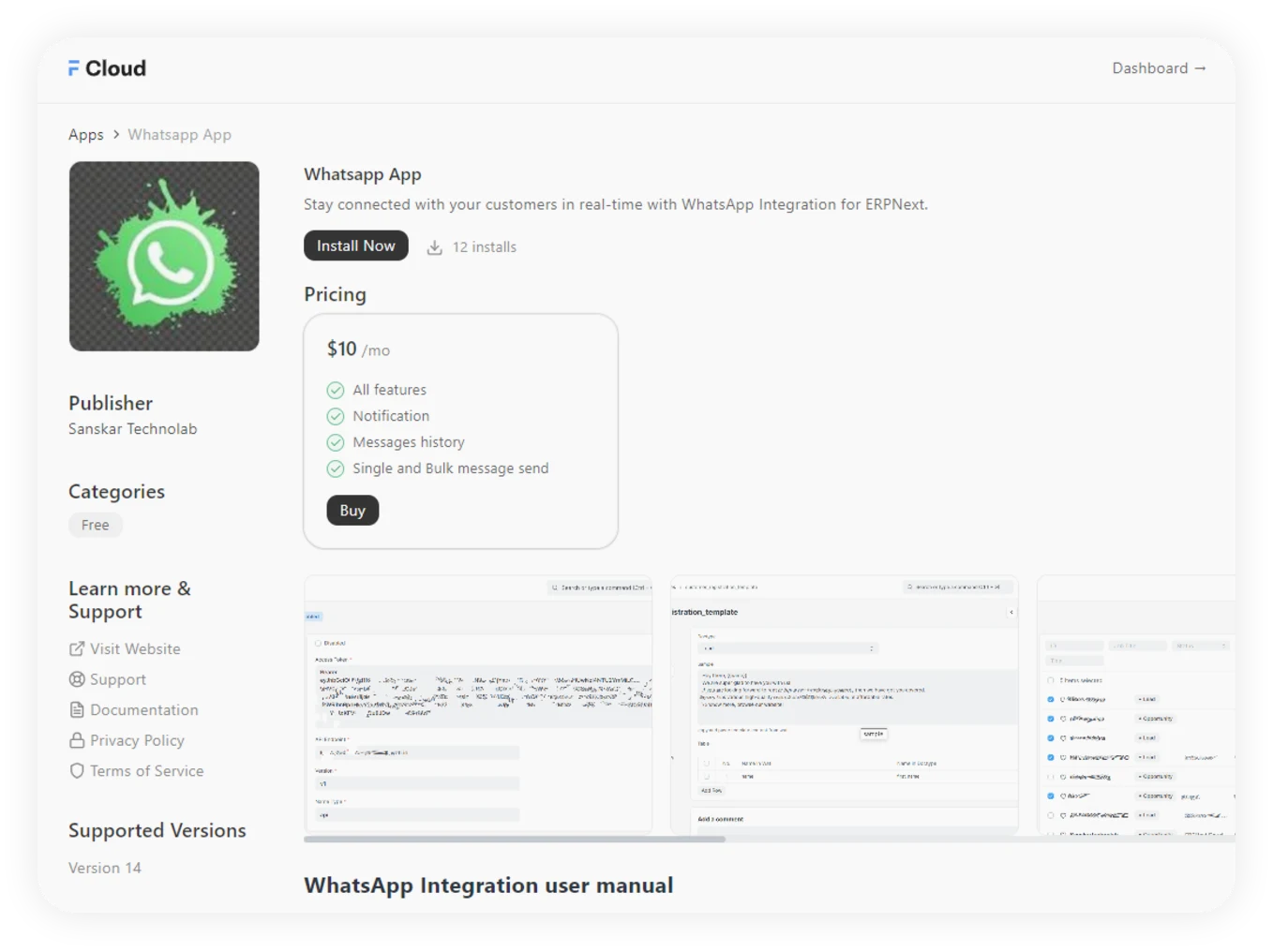
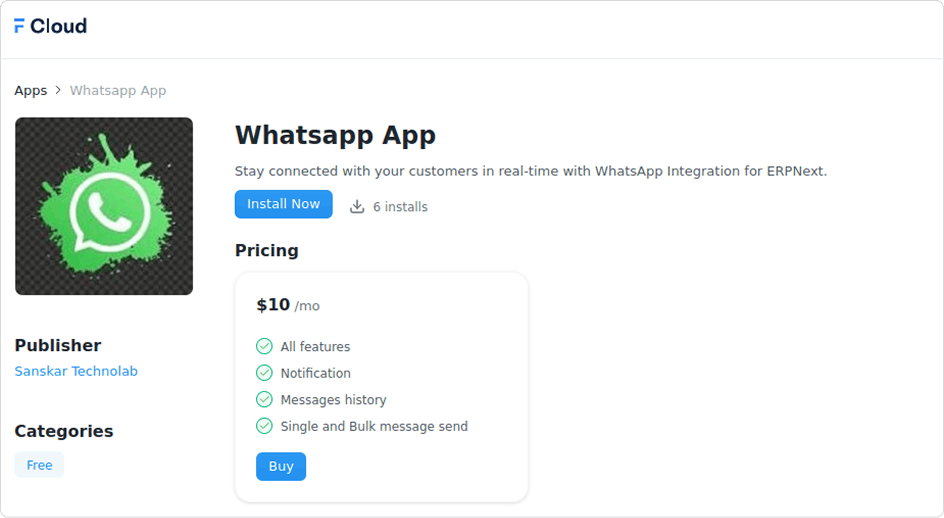
You can access our Whatsapp product through Frappe marketplace. To install our product, you need to pay monthly fees of $10.
Step 2:
Getting Started:
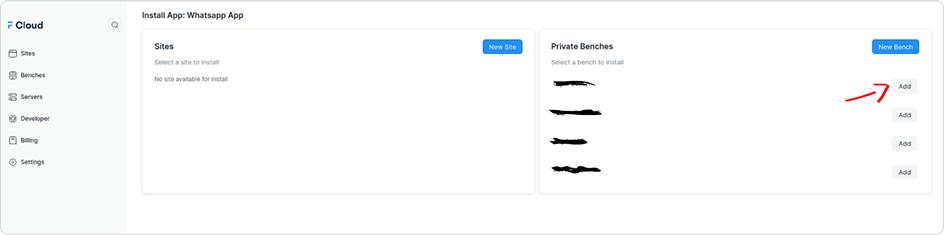
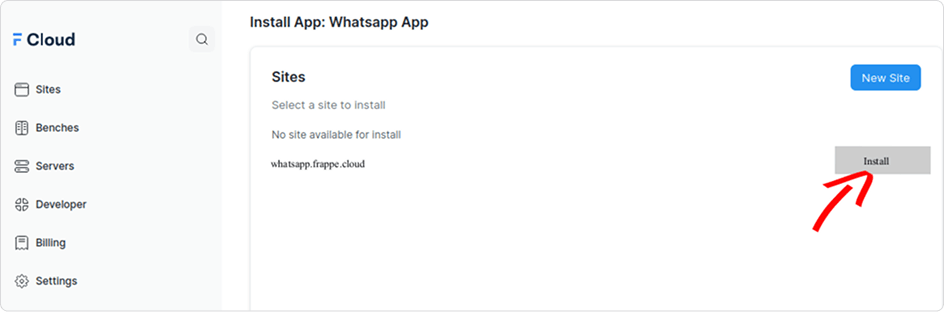
After installing our integration product, to get started you have 3 different scenarios.
If you already have a site, you just need to install our product.
Step 3:
Obtain the token from WATI:
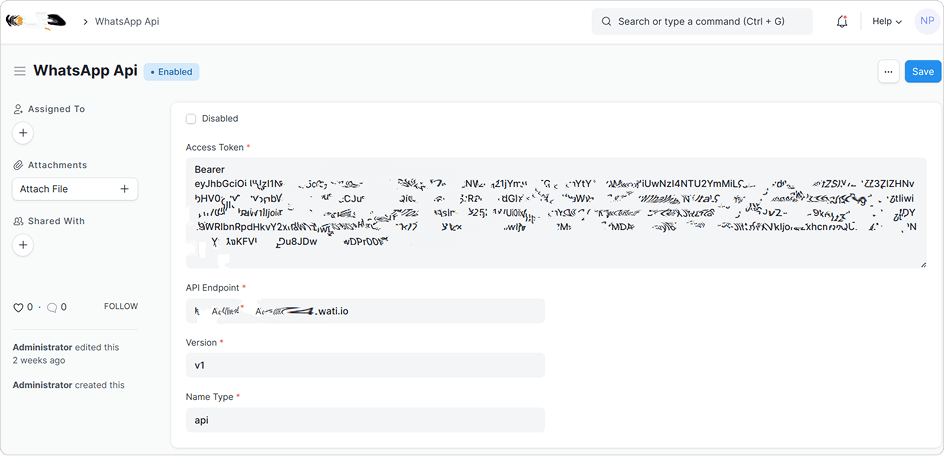
Go to your WATI (WhatsApp API service provider), copy the token, and paste it into the bearer text box. If you don't have a WATI account, here is how you can create a free account.
Step 4:
GET your templates:
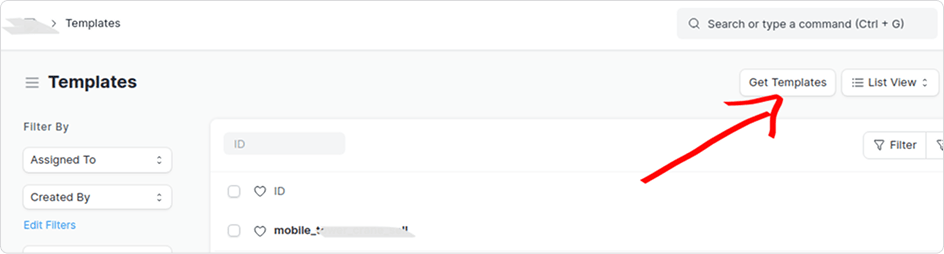
Search pre-made or custom Whatsapp templates from WATI and then GET your required template to send messages.
Step 5:
Choose the doc types & send messages
After getting the required template, you can choose the DocType(Suppliers, Customers, Leads, etc) to send dynamic & static messages accordingly.
Step 6:
Send Individual & Bulk messages
You can easily send individual and bulk messages in a static and dynamic manner.
To send bulk messages, you need to select a custom doctype and fields to send dynamic messages.
To send individual messages, you can just send static messages as per your customer's requirement
Once you have completed these steps, your website or application is seamlessly integrated. You can now leverage the product's features to send personalized messages, track customer activity, receive real-time alerts, and boost customer collaboration.
Following are some prerequisites needed for seamless integration -
Yes, with this product integration, you will receive all the WhatsApp notifications on your ERPNext system. Apart from it, you will get all the real-time alerts from your users and can easily track their end-to-end activity.
Absolutely! Whether you need to send personalized messages to specific individuals or broadcast important updates to a larger group, our product allows you to easily manage and customize your messaging strategy.
The integration process of the product with ERPNext is quite simple and convenient for all our customers. Considering the easy-to-use interface and simple setup, completing the integration process will take around one hour.
You can purchase the integration product from the Frappe marketplace. The cost to purchase the product is $10/month.