WhatsApp Wati ERPNext Integration
Introduction
Our WhatsApp integration product helps businesses seamlessly integrate their ERPNext system with WhatsApp. WhatsApp has become a crucial part of businesses, to stay connected with customers and offer them a customized user experience. To make it happen, our integration product is all you need.
Key Features
- Hassle-free integration with WhatsApp API.
- Dynamically create WhatsApp templates to send personalized messages.
- Businesses can review an end-to-end user activity.
- Instant notifications to keep you updated.
- Feature to send multiple & individual messages.
Prerequisites
- Account on WATI
- WATI configuration
- Access token & API for WATI
Setup
Step 1 – Install the product from the Frappe marketplace and add it to your site.
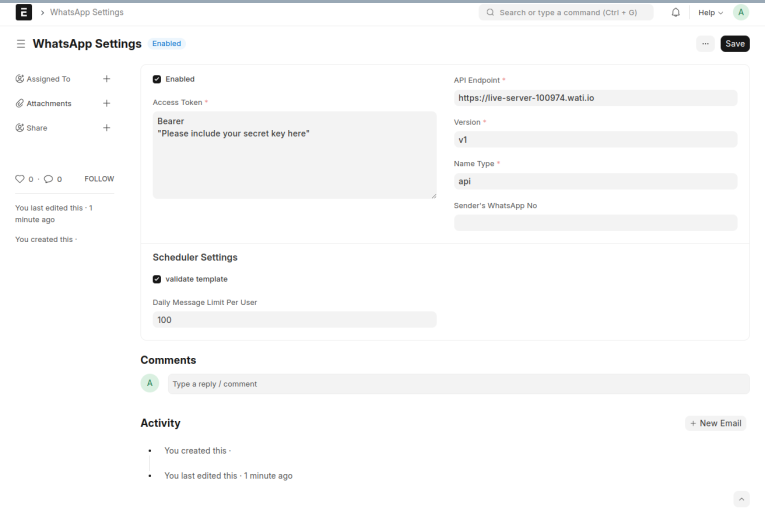
Step 2 – First go to WhatsApp Settings doctype, enable the API through the checkbox, and then enter your access token, API endpoint, version, and name type for WhatsApp integration. You can enable or disable the API accordingly.
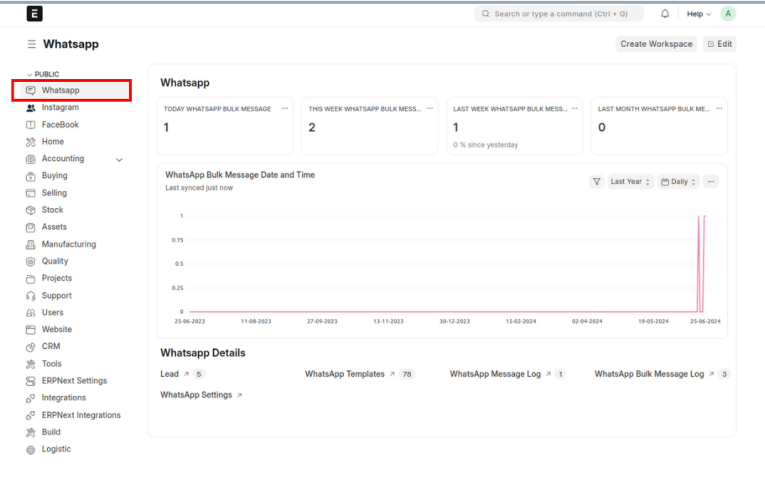
Workspace
- In the WhatsApp workspace, you can access the Lead, WhatsApp Template, WhatsApp Message Log, and WhatsApp Bulk Message Log, as well as view Cart Views and Line Chart Views.
Process
Step 1 – Create Dynamic Templates. After configuring WhatsApp Settings, the next step is creating new templates in Wati. You can select the required fields for dynamic templates to add for end-to-end personalization.
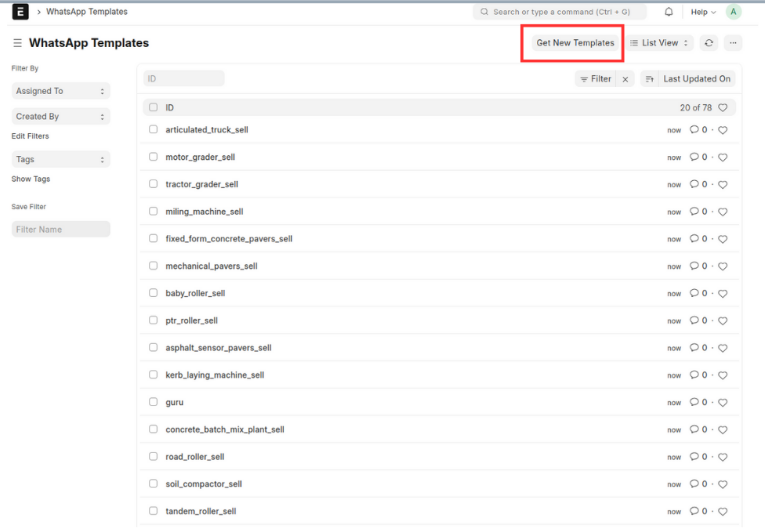
Step 2 – Once you've created templates in Wati, go to the "WhatsApp Templates" section and click on the "Get New Templates" button. This will fetch and import all templates from Wati into our system automatically.
Step 3 – Once a template has been imported, you can send the template to either individual leads or a bulk of leads.
Send WhatsApp Message to Individual Lead
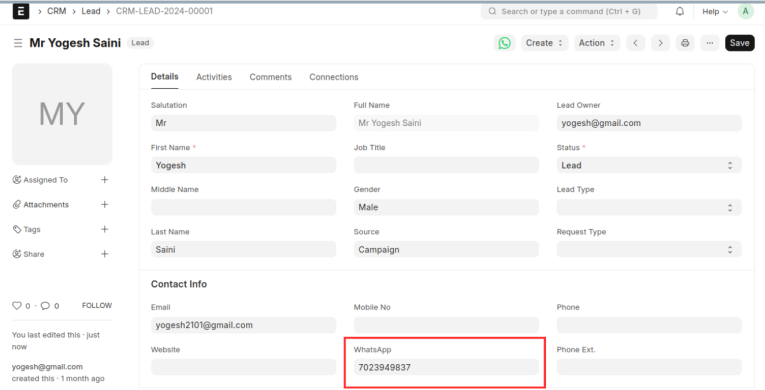
- To send a WhatsApp template to a specific lead, fill out the basic details in the Lead form and enter the WhatsApp number in the "WhatsApp" field. Once entered, the WhatsApp logo will be visible for that lead.
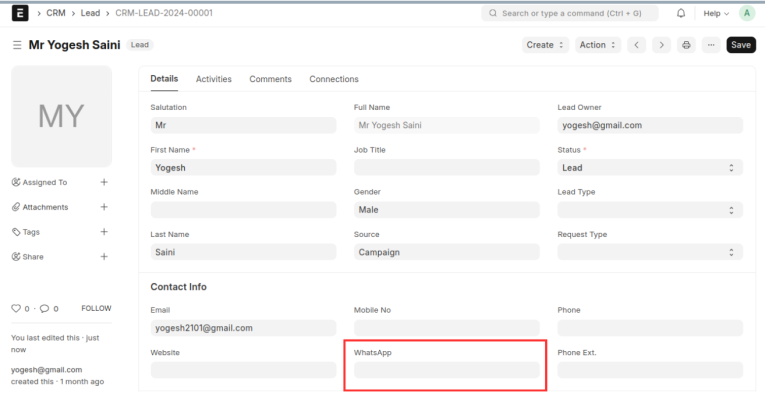
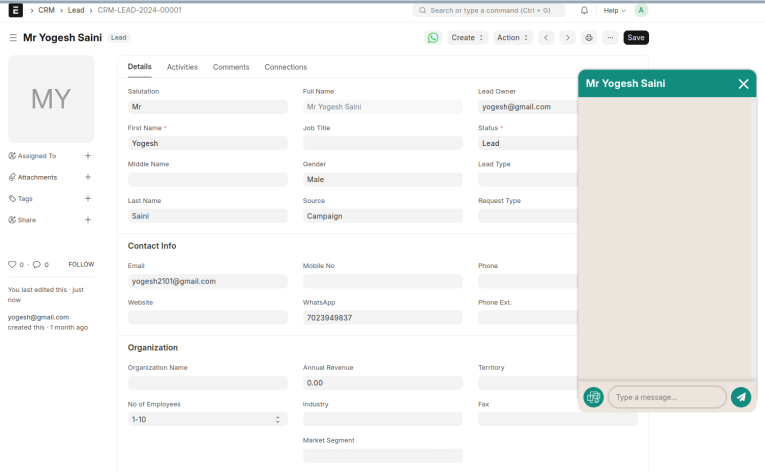
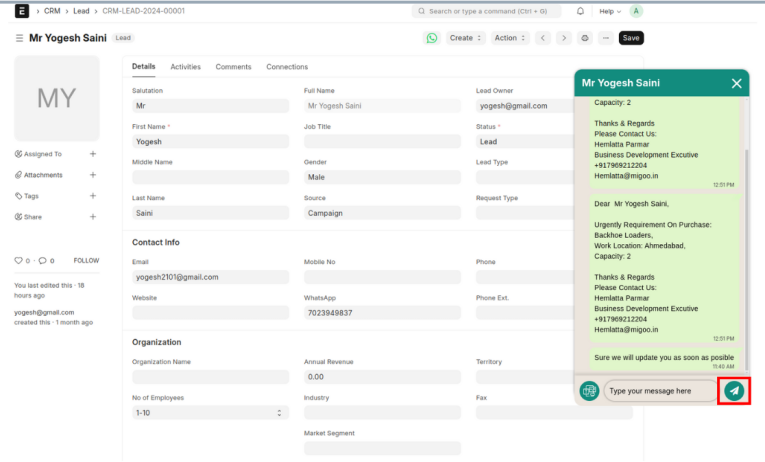
- Once the WhatsApp logo is visible, clicking on it will display the WhatsApp chat history in the chat box.
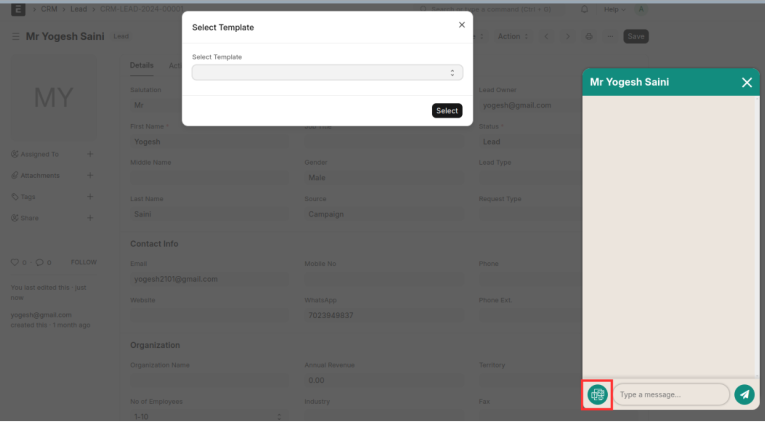
- To send a new template, click the "Template" button. This will open a dialog box where you can select a template from the available options.
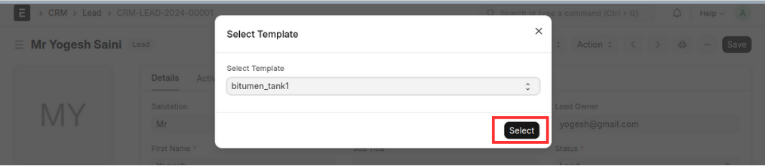
- After selecting the appropriate template, click on the "Select" button. Subsequently, a new dialog box will open, presenting all the dynamic fields available for the selected template's dynamic data.
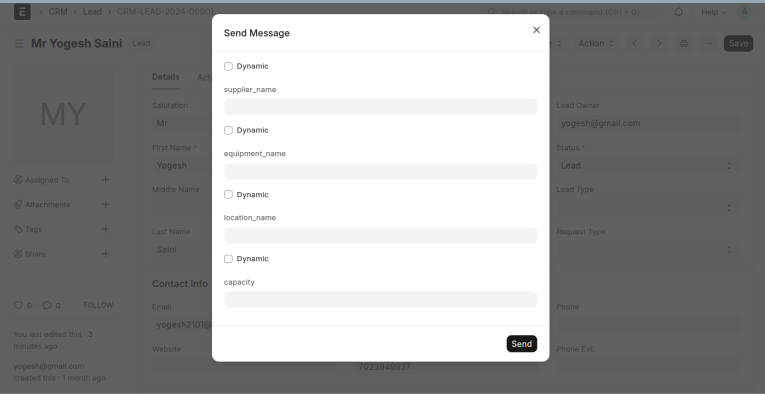
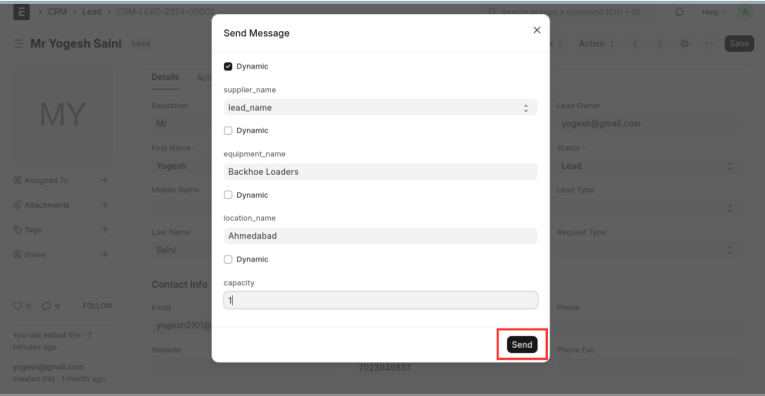
- To fill in the values for dynamic fields, you have two options: you can either manually type the value into the field, or enable the "Dynamic" checkbox located above the fields and then select an option for the field's value.
- Once all the dynamic fields for the template are filled in, click the "Send" button to send the WhatsApp template to that lead.
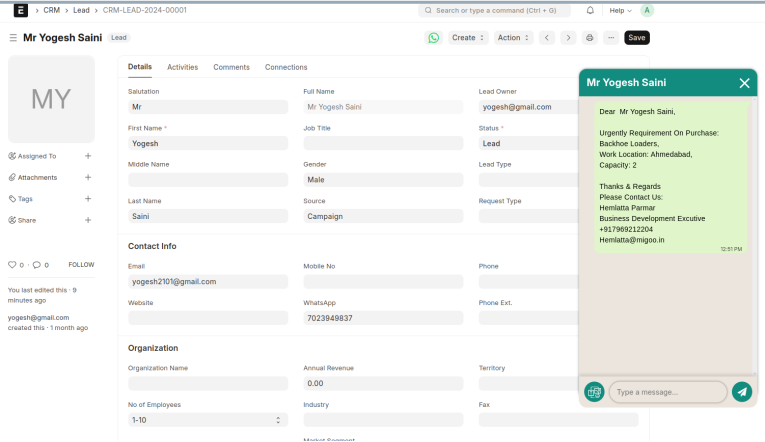
- The history of sent templates will be displayed in the WhatsApp chat box.
Send WhatsApp Messages in Bulk
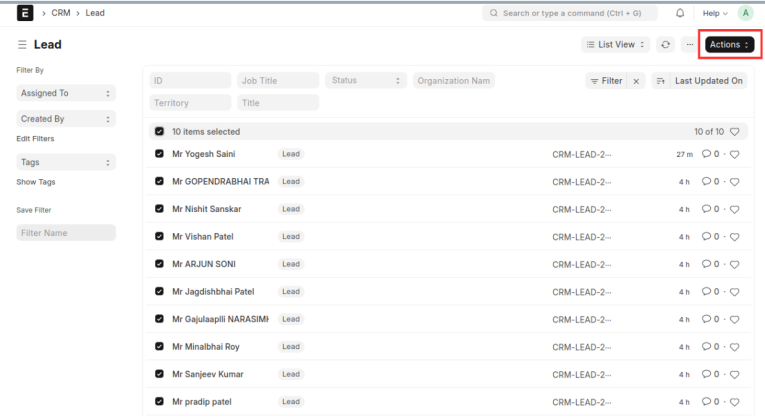
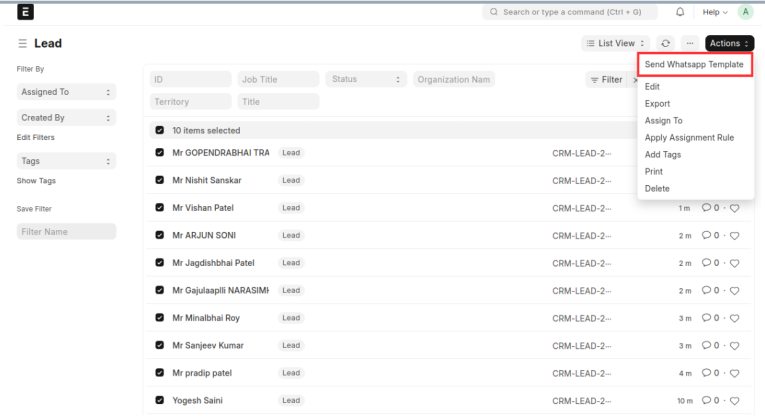
- Choose the group of leads to whom you wish to send the WhatsApp template.
- After selecting the group, click on the "Action" button and select "Send WhatsApp Template." A dialog box will appear, allowing you to choose a template from the available options.
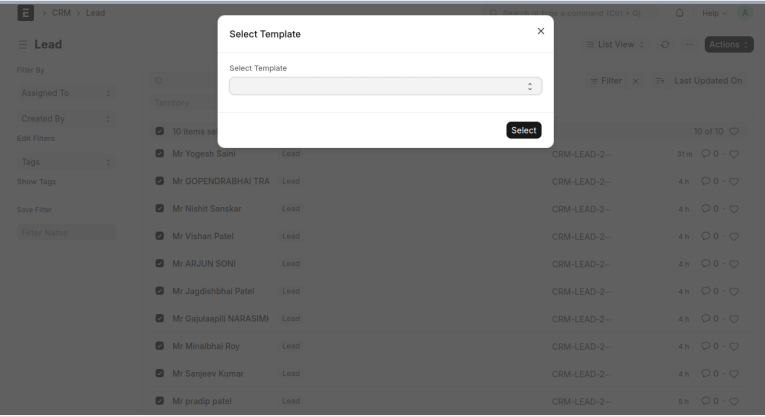
- The remaining steps are the same as mentioned above.
Send Session Message
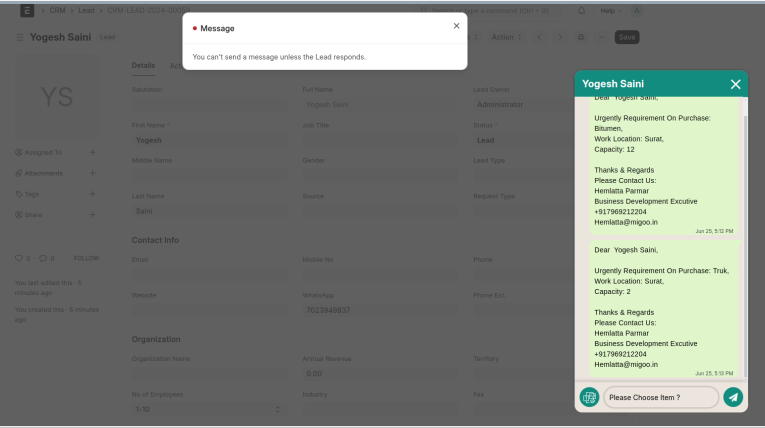
- We cannot send a direct message to a lead without the session window being open. To initiate the session window, the lead must first send a message to us. Once initiated, the session window remains open for 24 hours, during which we can send WhatsApp session messages to the lead.
- Each sent session message generates a log in our system, which is displayed in the WhatsApp chat box.
- If the session window is not open, an error message will appear: "You can't send a message unless the Lead responds."
WhatsApp Individual Message Logs
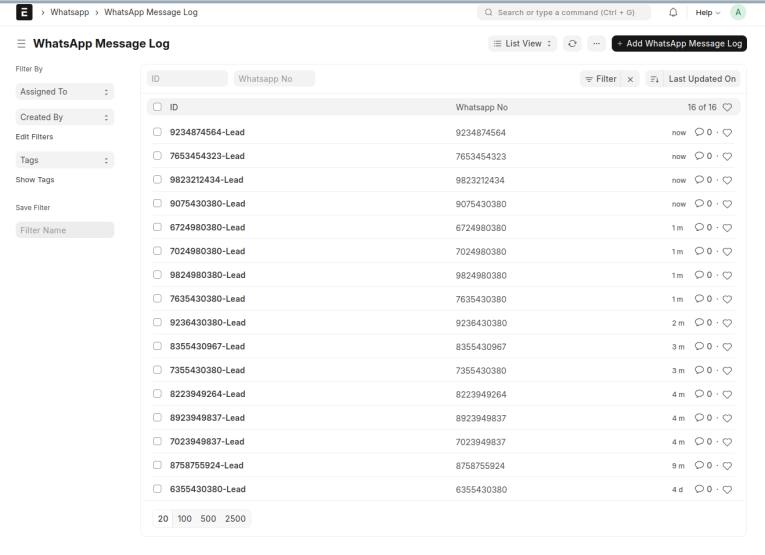
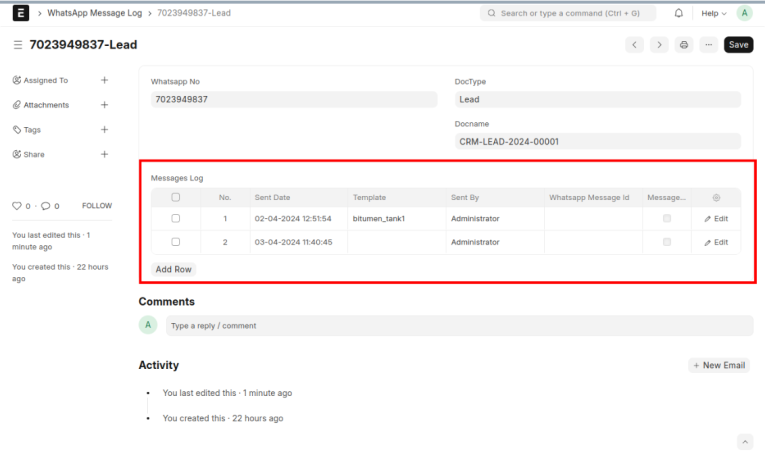
- Every sent template or message generates a log entry in the "WhatsApp Message Log" DocType, where you can view the complete list of logs.
- Go to the "WhatsApp Message Log" doctype.
- To view the list of sent messages to leads, open a record where you can see the list of sent templates and messages.
WhatsApp Bulk Message Logs
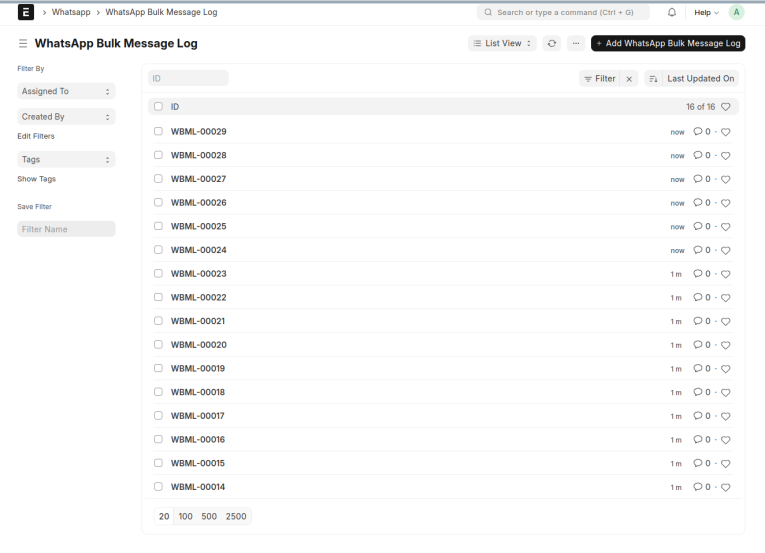
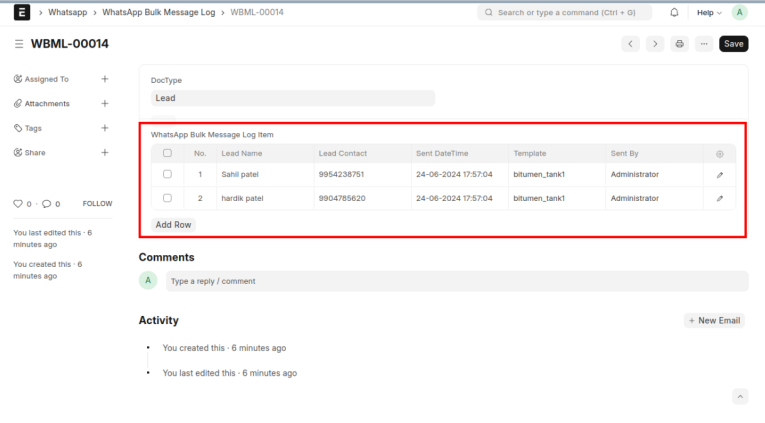
- Each time a bulk message is sent, a log entry is generated in the "WhatsApp Bulk Message Log" DocType, where you can view the complete list of logs.
- Go to the "WhatsApp Bulk Message Log" doctype.
- To view the list of sent messages to leads, open a record where you can see the list of leads to whom the template was sent.
Support
FREQUENTLY ASKED QUESTIONS
ERPNext Wati Integration allows your ERPNext system to connect with WhatsApp through the Wati platform. This integration helps businesses streamline customer communication by managing WhatsApp conversations, sending notifications, and automating workflows directly within ERPNext.
This integration lets you engage with customers on WhatsApp, the most widely used messaging platform, directly from ERPNext. You can automate messages, provide support, manage leads, and track all interactions within the ERP system, making customer communication more efficient and organized.
Some key features include:
- Two-way communication between WhatsApp and ERPNext.
- Automated WhatsApp notifications based on ERPNext events (like order confirmation, shipment tracking).
- Message templates for consistent and personalized communication.
- Integration with CRM for customer service and lead management.
- Bulk messaging for announcements and marketing campaigns.
No, the integration is designed to be user-friendly. Our team will assist with the setup, and no specialized technical knowledge is required to operate it once integrated.
Yes, you can automate WhatsApp messages based on events triggered within ERPNext, such as sending reminders, order updates, or payment confirmations, reducing manual tasks and ensuring timely communication with customers.
Yes, ERPNext Wati Integration allows for two-way communication. Customer responses to WhatsApp messages can be tracked and managed directly within ERPNext.
Yes, the integration is secure and follows WhatsApp Business API security protocols. Data exchanged between ERPNext and WhatsApp via Wati is encrypted, ensuring compliance with industry standards.
The number of messages you can send depends on the plan you have with Wati and the WhatsApp Business API. Contact us for detailed information on messaging limits and pricing tiers.
Yes, you can send bulk or broadcast messages to customers for marketing purposes or important notifications. However, it is essential to ensure that customers have opted in for such communications to comply with WhatsApp's policies and avoid spamming.
To get started, reach out to our team at Sanskar Technolab. We'll help you with the setup, customization, and ongoing support for integrating ERPNext with WhatsApp through Wati, ensuring you maximize the benefits for your business.


