Frappe Framework v16 Release Highlights - What's New for Developers and Businesses
Smarter UI, Stronger Performance & Better Developer Control


What’s New in Frappe Framework v16
The Frappe Framework v16 release brings a wave of innovation for developers, system administrators, and businesses building on open-source ERP technologies. As the foundation behind ERPNext, this version makes development faster, deployment smoother, and user experiences more intuitive.
Let’s explore what’s new, why it matters, and how it empowers teams to build and scale smarter applications.
Top Highlights of Frappe Framework v16
How Frappe Framework v16 empowers teams to build and scale smarter applications.
Desk UI Enhancements
Frappe v16 introduces a refined, modernized user interface focused on usability, minimalism, and accessibility.

Modern Tailwind UI
Frappe has transitioned its frontend to Tailwind CSS, delivering:
- A unified, modern, and cleaner design system
- Faster page rendering and responsive layout
- Consistent UX across apps, reports, and dashboards
This new UI framework simplifies customization, allowing developers to build sleek interfaces with minimal CSS overrides.
Enhanced Visual Design
A new, softer theme delivers a minimalist look while maintaining the Frappe Espresso design consistency.
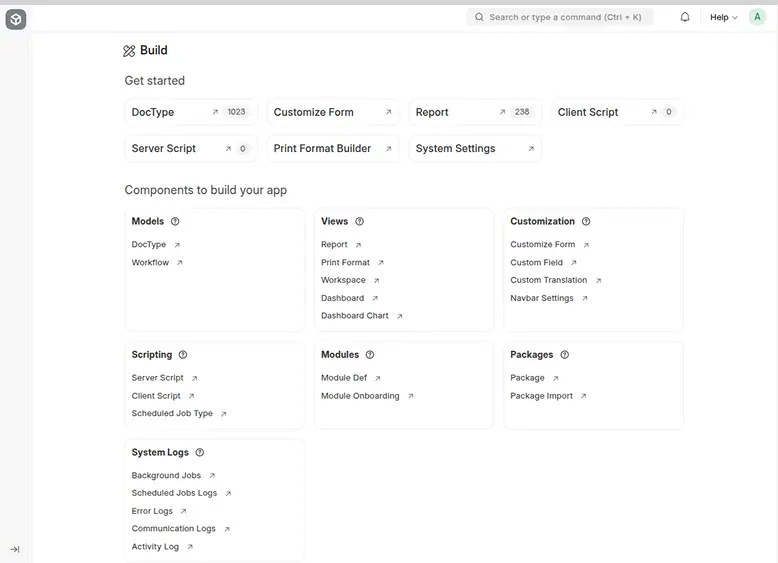
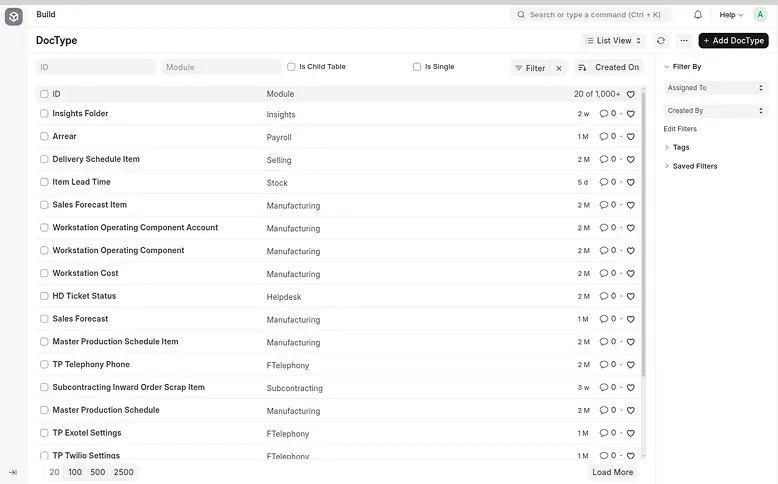
Full-Width Layout
The Desk now utilizes the full screen width by default, eliminating unused white space. Earlier, full-width mode had to be toggled manually — this is now improved and adaptive.
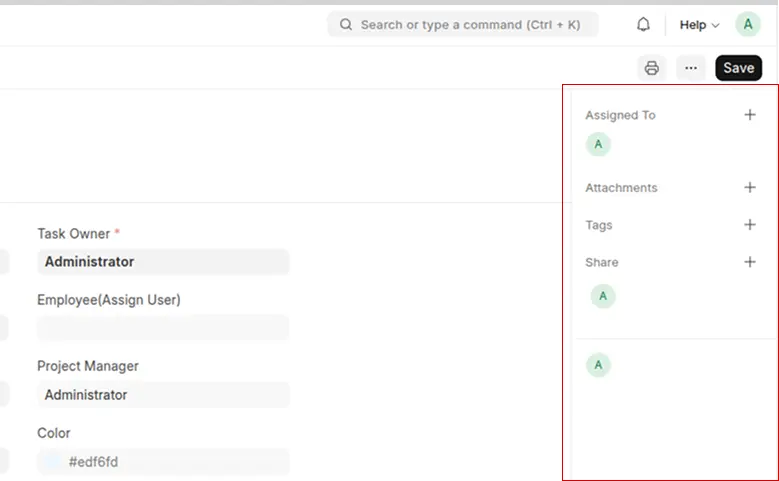
Detail View Sidebar (Right-Aligned)
The document detail sidebar has been shifted to the right side of the screen, improving focus and readability by keeping form actions separate from primary content.
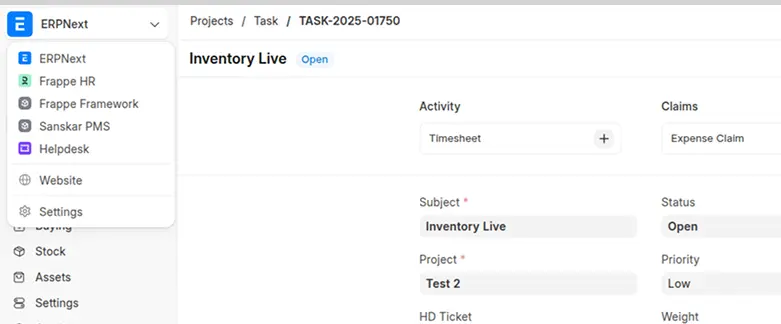
App-Wise Sidebar and Workspace Grouping
Apps now have dedicated sidebars and grouped workspaces, making navigation intuitive. App logos and structures are now more meaningful and aligned with the overall design.
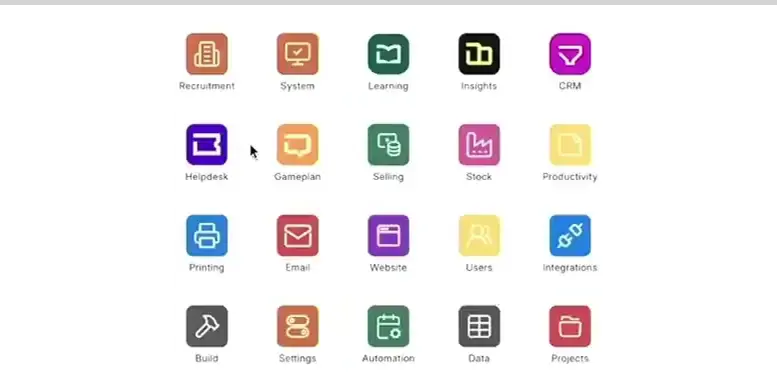
Revamped Apps Screen
The new Apps screen resembles an Android-style app drawer with a polished layout, better organization, and smoother navigation compared to the older /apps page.
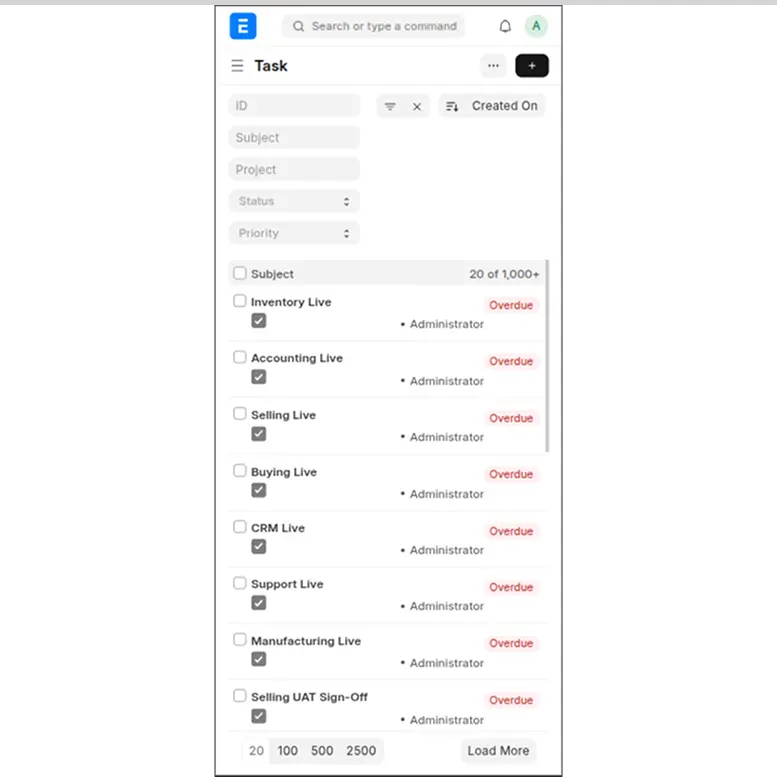
Improved Mobile Responsiveness
The new design is fully mobile-friendly. Enhancements include better spacing in list cards, improved form field alignment, and a more structured layout for child tables and edit views.
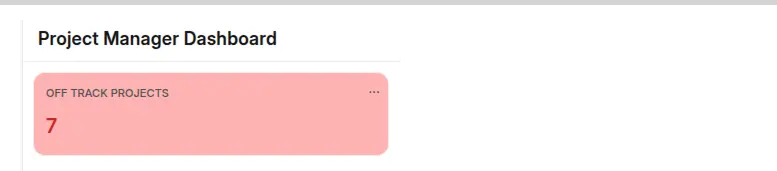
Background Color Support on Number Cards
Dashboards become more visually distinguishable—number cards can now have configurable background colors.
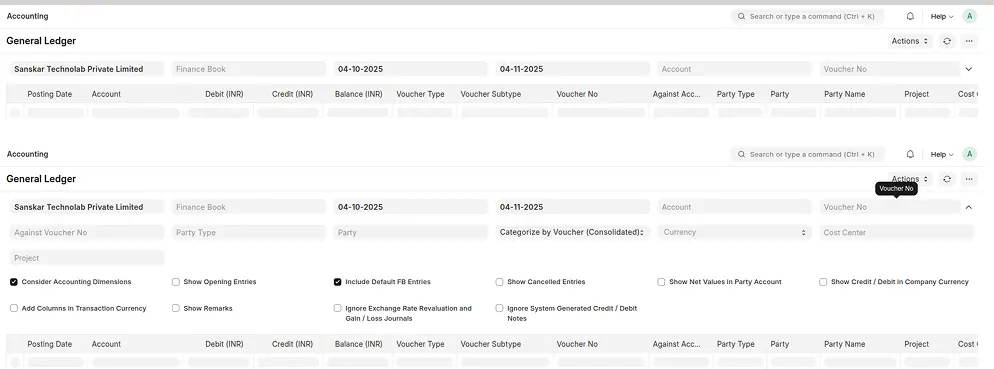
Expandable Report Filters
Reports can now have filters that collapse/expand, helping manage screen real-estate when you have many filters.
List View Enhancements
- The List View now supports up to 50 columns (previously limited to 10).
- Each column can have a custom width and sticky positioning for smooth horizontal scrolling.
- This upgrade addresses one of the most requested usability improvements for data-heavy modules.
Child Table Enhancements
- Child Tables now allow unlimited columns with configurable widths and sticky columns for better readability.
- Smooth horizontal scrolling enhances user experience when working with complex datasets.
- This replaces the earlier 10-column limit, significantly improving day-to-day data handling.
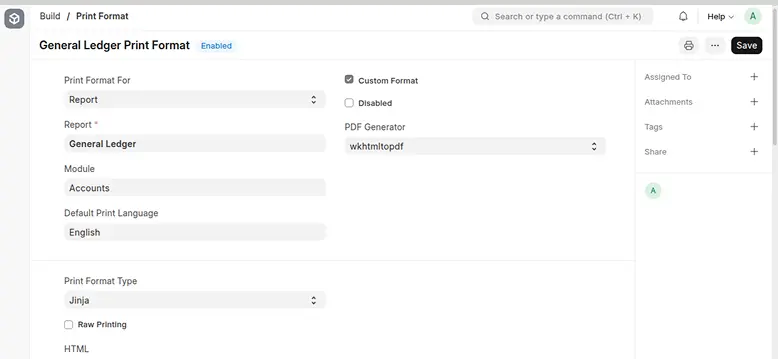
Print Format for Reports
- A new feature in the Print Format doctype enables creating custom print formats for reports with dynamic data.
- This eliminates the need for custom Python scripting to achieve formatted report outputs.
Data Masking using Roles and Permissions
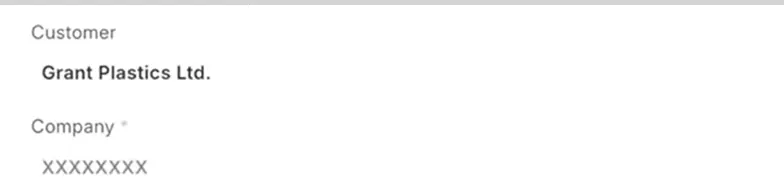
- Introducing field-level data masking to protect sensitive information.
- When masking is enabled in a field’s configuration, the data remains hidden (masked) across List, Form, and Report views — even though it exists in the database.
- Masking behavior is controlled via roles and permissions, improving data security and compliance.
New Document Naming Rule – UUID
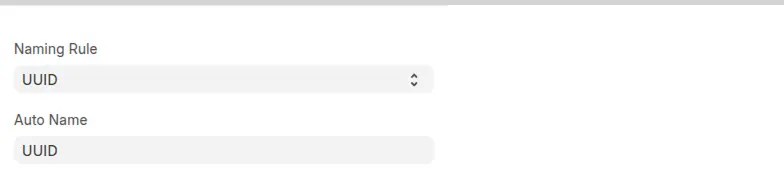
- A new UUID-based naming rule has been added for document creation.
- This ensures globally unique document identifiers for better data integrity and traceability across systems.
Duplicate Multiple Child Table Rows at Once
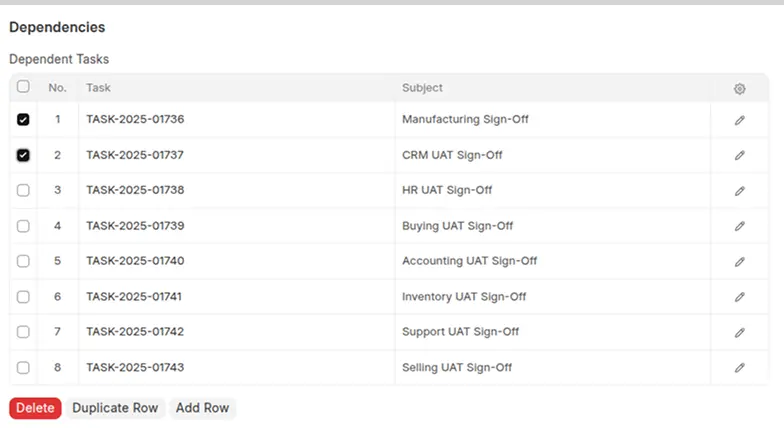
- In child tables, you can now select multiple rows and duplicate them simultaneously (instead of one at a time).
Enhanced bench new-app Command
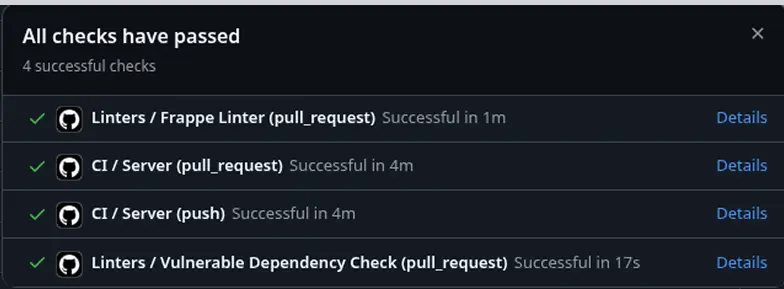
- The bench new-app command has been upgraded to generate a pre-configured Continuous Integration (CI) workflow automatically.
- When a new app is created, Frappe now sets up a GitHub Actions–based CI pipeline that includes
- Automated linting with the latest Frappe Linter, ensuring your code follows framework standards from day one.
- Automated test cases and workflows that run every time you push changes to your repository — helping detect issues early.
- Ready-to-use configuration for test execution and coverage reporting without additional setup.
Performance Upgrades
Version 16 introduces noticeable improvements in:
- Caching & Lazy Loading Smarter cache layers for faster page loads.
- Async Background Jobs Better control and performance for background tasks using Redis queues.
- Reduced Server Load Optimized queries and compression reduce CPU and RAM usage by up to 30%.
For multi-tenant or enterprise-grade deployments, these performance boosts translate into more users served per server.
Developer Productivity Boosts
- Enhanced Type Safety New typed APIs and validations for cleaner, bug-free code.
- Simplified App Dependencies Define and manage inter-app dependencies natively.
- Improved Testing Tools Easier test setup and faster CI/CD pipeline integration.
These updates help developers spend less time debugging and more time innovating.
Extensible Architecture for Ecosystem Apps
Frappe v16 strengthens its ecosystem with:
- Better App Marketplace compatibility
- Improved Hooks system for event-based extensions
- Enhanced REST and GraphQL APIs for integrating third-party tools
This makes it easier for partners and ISVs to build scalable SaaS offerings on top of the Frappe stack.
Security & Compliance Enhancements
- Upgraded dependencies and libraries for improved security posture
- Stronger data encryption and session management
- Granular user permissions and logging for audit compliance
These make Frappe v16 ideal for enterprise and government-grade deployments where compliance and data integrity are critical.
Why This Matters for Businesses
Frappe v16 empowers organizations to:
Launch custom applications faster with low-code tools
Optimize infrastructure costs with performance gains
Simplify team collaboration across apps
Future-proof their digital platforms with a scalable open-source foundation
Whether you’re developing a niche ERP, CRM, or any vertical solution — Frappe v16 provides the stability, speed, and flexibility needed to scale.
Conclusion
The Next Step in Open Source ERP Innovation
Frappe Framework v16 is more than a technical upgrade — it’s a leap toward the next generation of open-source business platforms.
With faster UI, smarter performance, and enterprise-grade tools, Frappe continues to empower developers and businesses to innovate freely.

Frappe Framework v16 Release Dates
Beta Release: 15th November 2025
Final Release: 6th December 2025 (at Frappeverse Egypt)
Need Help Migrating or Upgrading?
Connect with Sanskar Technolab, your trusted Frappe and ERPNext partner, for seamless migration, development, and Frappe v16 hosting.
Author

Karan Mistry is a Full Stack Frappe Developer with a strong command of the Frappe framework. He excels in crafting end-to-end technical architecture and implementing efficient, scalable systems.
Share


Related post
ERPNext
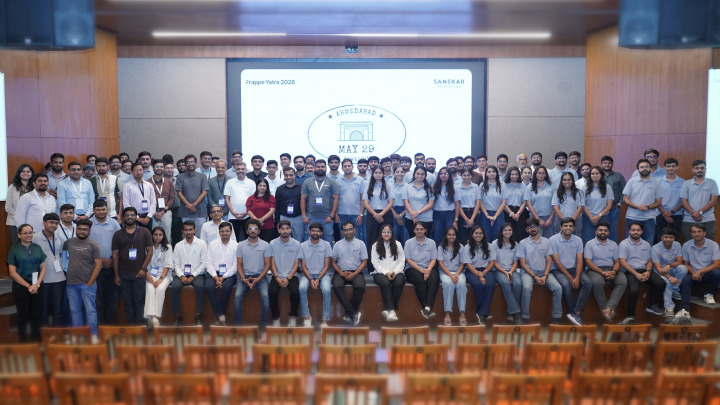
What Business Leaders Learned from Frappe Yatra Ahmedabad 2026
See how ERPNext, open source software, and automation help businesses standardize processes and improve decision-making.


2nd June, 2026

6 min read

ERPNext
The Real Cost of ERPNext Implementation in 2026
A Strategic Executive Briefing on TCO, ROI, and Operational Scalability

16th April, 2026
5 min read

ERPNext
ERPNext v16 Accounting: A CFO's: Upgrade Finance Book
A Strategic Deep Dive into Financial Control, Closing Efficiency, and Governance in ERPNext v16
17th February, 2026
5 min read


